Amazon listing SEO software
Amazon listings engineered for the 75-character era
On 27 July 2026 Amazon split the old 200-character title into two indexed fields: a 75-character Title and a 125-character Item Highlights block. Every listing written before that date is now either truncated or wasting index space. Cosmo SEO is the listing engineer we built for our own client catalogues — it reads your SellerSprite keyword mining, competitor search results and review exports, maps intent the way Rufus and COSMO read a product, and writes each field to the exact limit it now has to live inside.
Not a keyword tool with an export button — a listing engine that writes to Amazon’s 2026 field limits and shows you every character it spends.
75
Character title limit, enforced live
125
Character Item Highlights, the new field
250B
Search term budget counted in UTF-8 bytes
3
Data sources mined: keywords, SERPs, reviews
Built for the new rules
75-character Title and 125-character Item Highlights enforced as you write, with byte-accurate search term counting and a flat-file ready export.
Your data, not guesswork
Keyword mining, competitor SERP exports and review analysis feed the copy, so the terms in the listing are the terms buyers actually search.
Rufus-oriented structure
Fields are written as answers — intent, use case, audience and objection — the way Amazon’s AI shopping layer reads a product page.
Uniform, publishable output
Bullets land within a tight character spread, claims are screened by strictness level, and every field copies straight into Seller Central.
Step one — set the rules
Tell it the marketplace and it writes to that rulebook
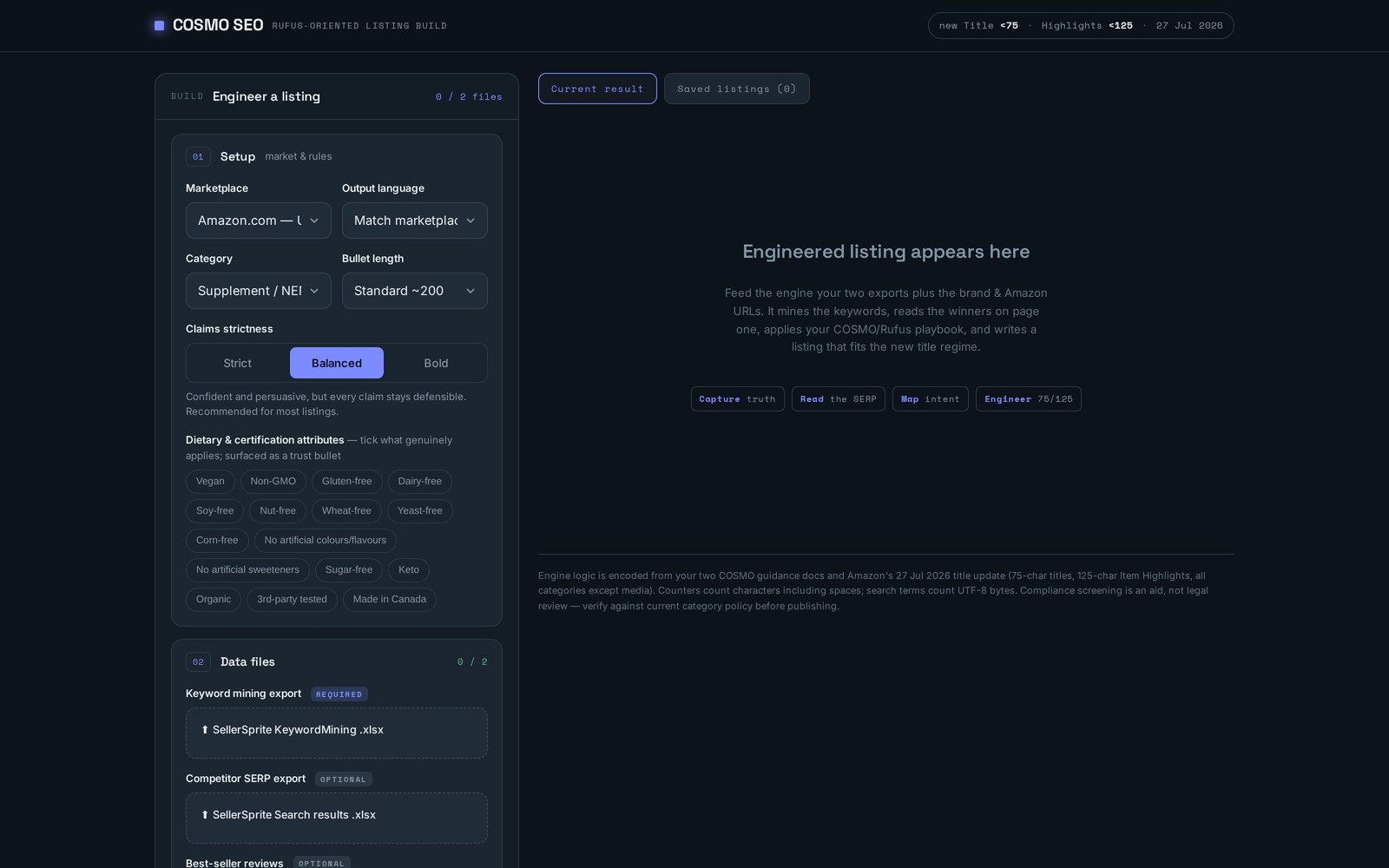
Marketplace, output language, category and bullet length decide the constraints before a single word is written. Claim strictness moves the copy from strict and defensible to bold and persuasive, and category attribute chips surface only what genuinely applies to your product.
- Per-marketplace and per-language output, not translated afterthoughts
- Strict, balanced or bold claim handling for regulated categories
- Dietary and certification attributes surfaced as a trust bullet
Step two — feed it real data
Your keyword mining and review exports become the copy brief
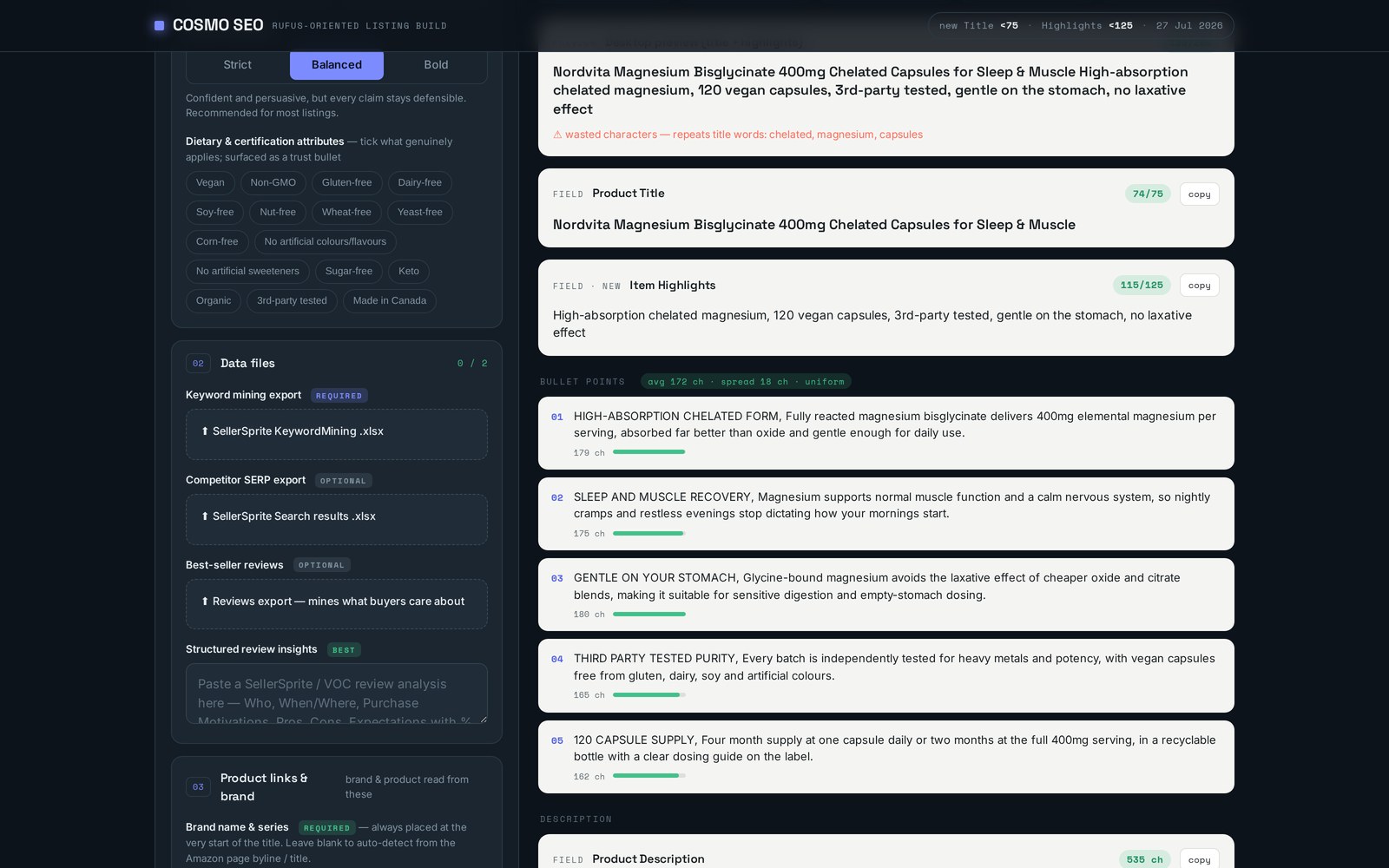
Drop in the SellerSprite KeywordMining file, add the competitor search-results export and paste a structured review analysis. The engine mines search volume and intent from the first, competitive positioning from the second, and the exact objections and benefit language buyers use from the third.
- SellerSprite KeywordMining .xlsx required, SERP export optional
- Review and VOC insights mined for purchase motivation and objections
- No blank-page prompting — the listing is written from your data
Step three — reclaim the title
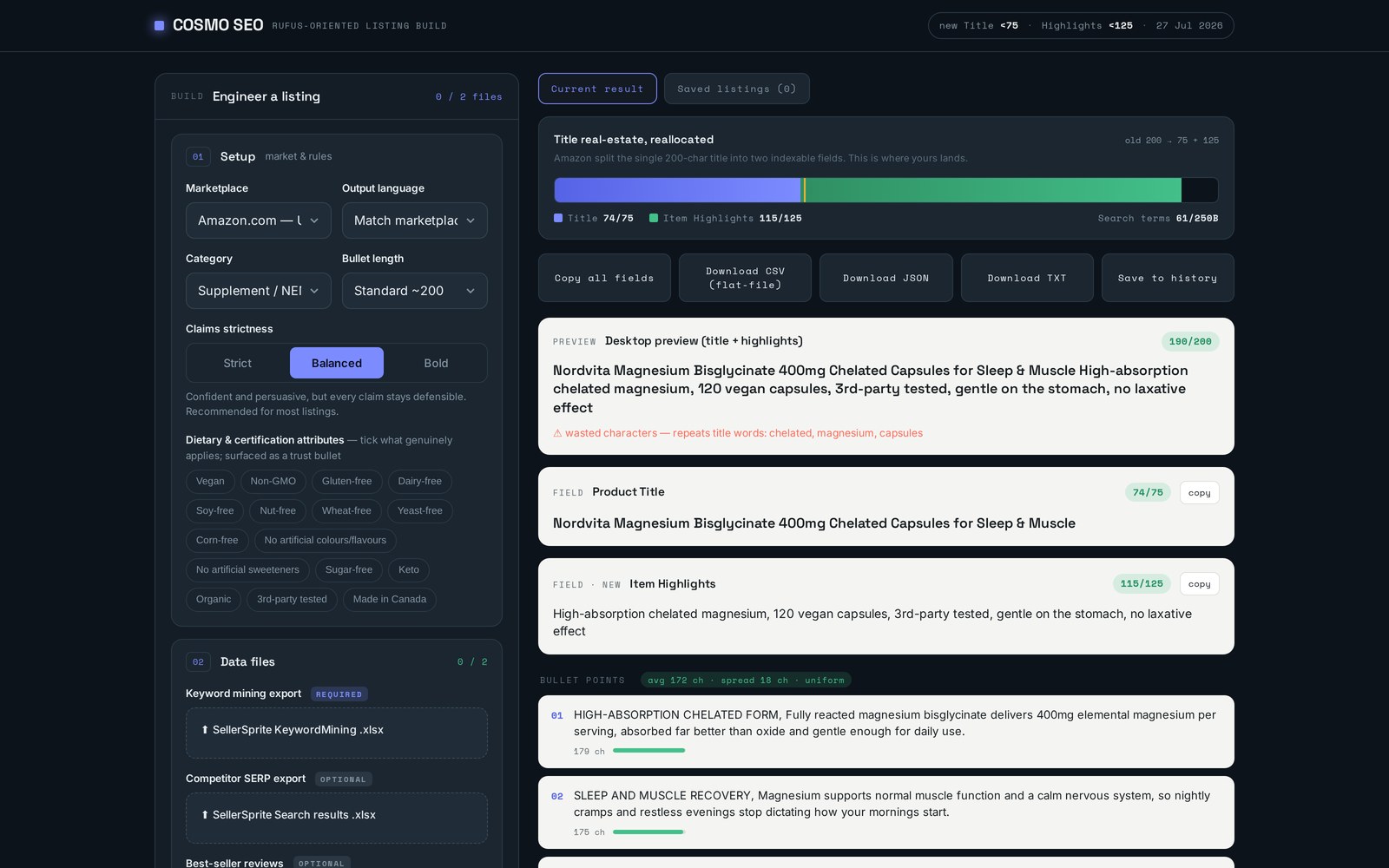
200 characters became 75 + 125. This is where yours land.
The result deck shows the reallocation visually: what fits in the new Title, what carries over into Item Highlights, and how much index space is still unused. Duplicate words across the two fields are flagged as wasted characters, because repeating 'magnesium' twice buys you nothing.
- Live counters on Title (75) and Item Highlights (125)
- Desktop preview of how the two fields read together
- Wasted-character warnings for repeated words across fields
Step four — the rest of the page
Five uniform bullets and a description that sells the objection away
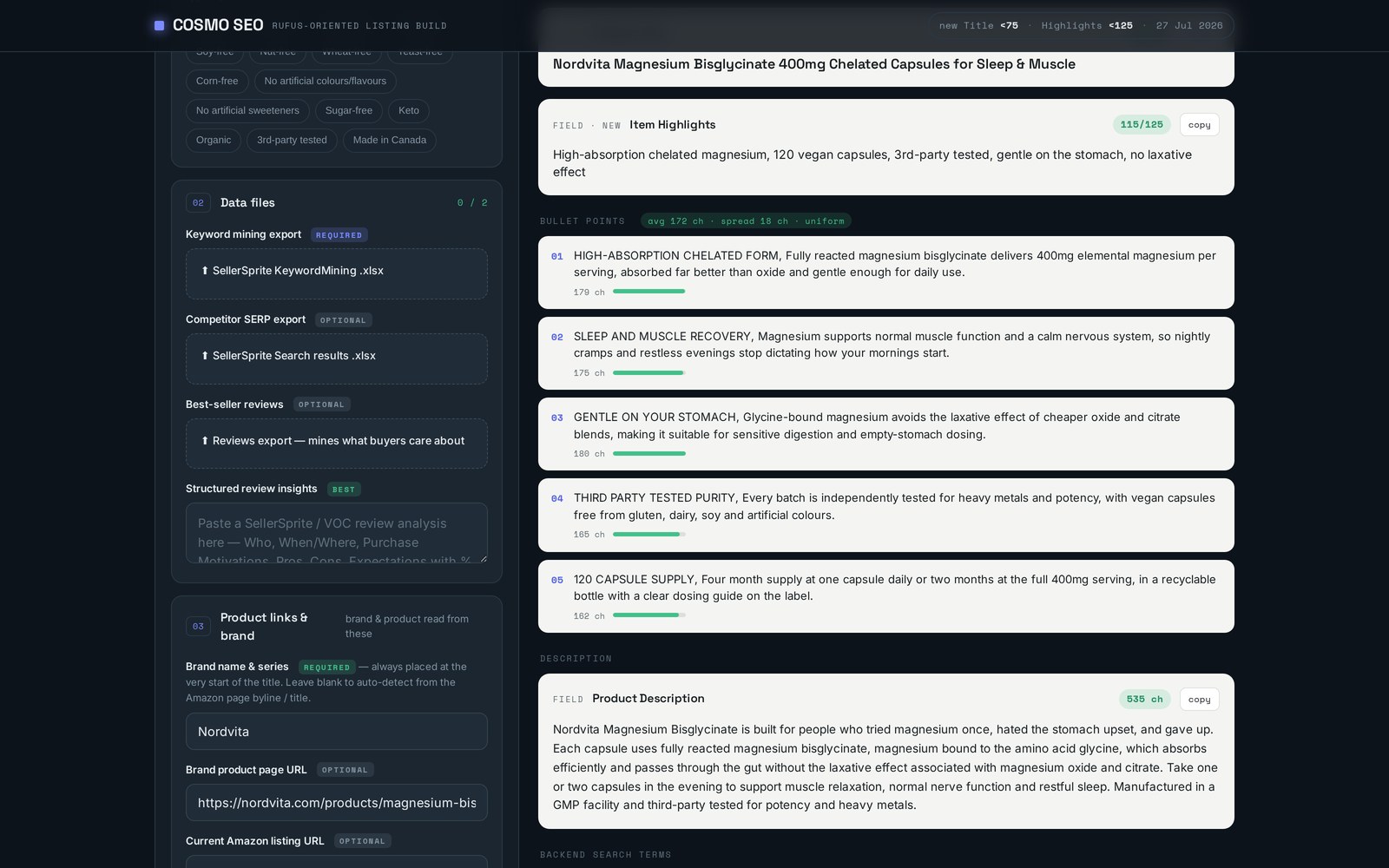
Bullets come back benefit-led, capitalised on the hook and held within a tight character spread so the page reads as a deliberate block rather than five different writers. The description then handles the buyer who has already read them and is looking for a reason not to buy.
- Uniform bullet lengths with per-bullet character meters
- Benefit-first hooks backed by the substantiated USPs you supplied
- Description written to answer the top review objections
Step five — ship it
Fill the backend index, screen the claims, export the flat file
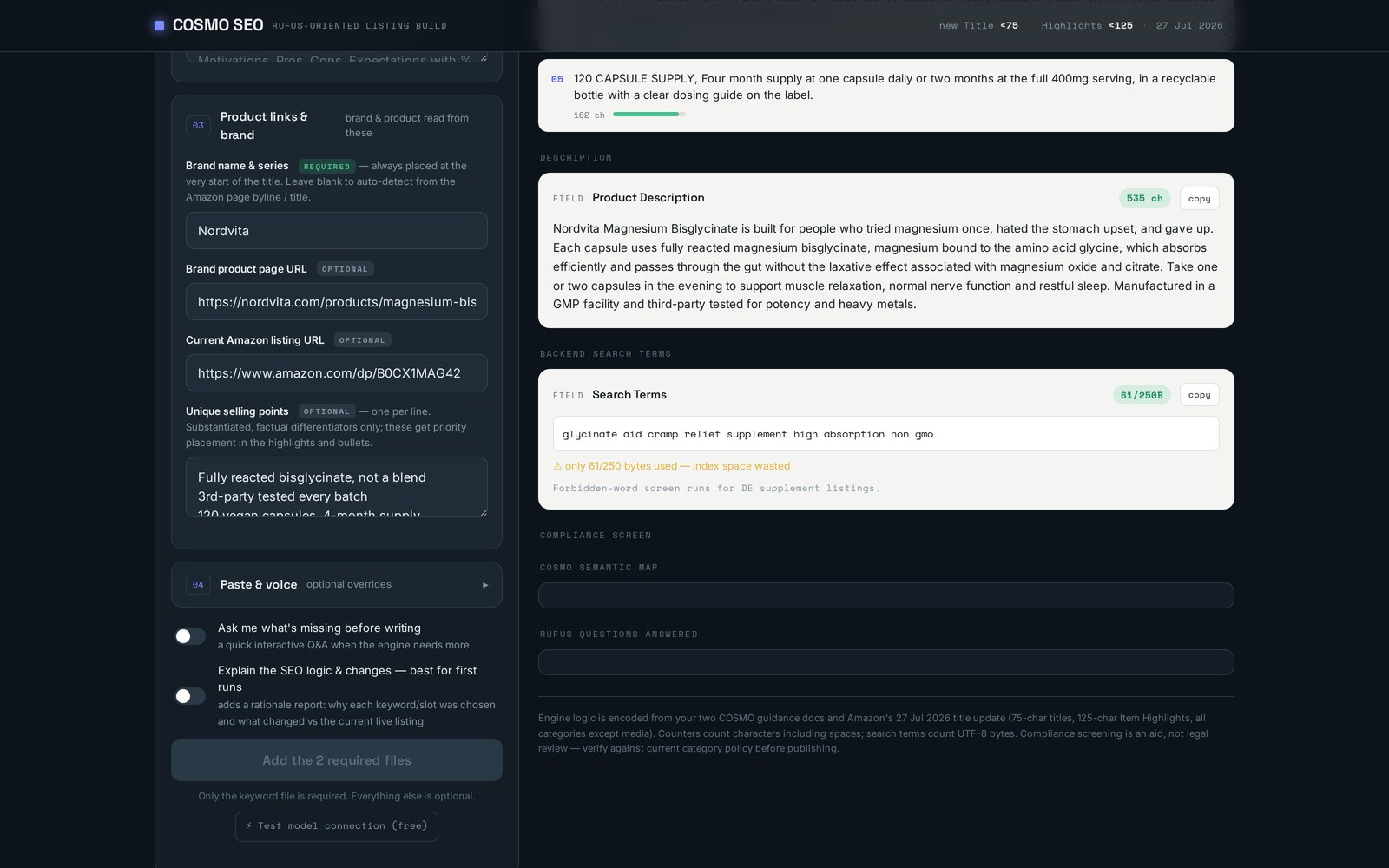
Search terms are counted in UTF-8 bytes against the real 250-byte cap and flagged when you leave index space on the table. Forbidden-word screening runs per category and marketplace, then the whole listing copies out as fields, CSV, JSON or TXT and is saved to your history.
- 250-byte search term budget with unused-space warnings
- Category-aware forbidden-word screening before you publish
- Copy all fields, or export CSV flat-file, JSON and TXT
Built for
Start generating
Generate Amazon SEO content
Drop in your keyword mining, SERP and review exports and Cosmo SEO returns a compliant Amazon title, Item Highlights, uniform bullets and a 250-byte search term string in minutes.
Everything inside
Marketplace & rule setup
Pick the marketplace, output language, category and bullet length, then set claim strictness from strict to bold so the copy matches what your category will actually allow.
Data file imports
Drop in a SellerSprite KeywordMining export, an optional competitor search-results export and a reviews or VOC analysis — the engine mines volume, intent and buyer language from all three.
Product, brand & USP context
Link the Amazon listing and brand page, add your substantiated USPs and any tone notes; the brand name is always anchored at the front of the title.
Title & Item Highlights engineering
The 200 characters you used to have are reallocated across the two new fields, with duplicate-word warnings so no character is spent twice.
Bullets, description & search terms
Five uniform bullets, a conversion-focused description and a backend search term string measured in UTF-8 bytes against the 250-byte cap.
Compliance, history & export
Forbidden-word screening per category, a saved history of every listing you build, and one-click copy, CSV, JSON or TXT export.
Questions sellers ask
Why does the 75-character title matter?
From 27 July 2026 Amazon caps the title at 75 characters in most categories and moves the rest of your keyword real estate into a separate 125-character Item Highlights field. Listings written to the old 200-character format get truncated or waste index space, so both fields need rewriting deliberately.
What data do I need to run it?
A SellerSprite KeywordMining export is the only required file. A competitor search-results export and a review or VOC analysis are optional, but they are what turn a keyword-stuffed listing into copy that answers real objections.
Does it work for non-US marketplaces?
Yes. You choose the marketplace and output language, and the copy is written natively for that locale with the category rules and forbidden-word screening applied for it.
Can I get the output into Seller Central quickly?
Copy all fields at once, or export a flat-file ready CSV, JSON or TXT. Every build is also saved to your listing history so you can compare versions later.
Pricing and plan details are shown inside the app.
- Unlimited listing builds across marketplaces and languages
- SellerSprite keyword mining and SERP file imports
- Review-mined benefit language and objection handling
- Title, Item Highlights, bullets, description and search terms
- Live character and byte counters on every field
- CSV, JSON and TXT exports plus saved listing history
Other tools
A clear next step
Rewrite your catalogue for the new title rules
Start a Cosmo SEO subscription, or book a free consultation and we will walk you through how we use it on live client catalogues.
Book a free consultation